
Design System:
Building For AI
Teaching Assistant
At Radical AI, I worked as a UI/UX designer on Marvel, an AI teaching assistant. Kai helps educators by generating class materials, answering questions, and offering creative suggestions—designed to reduce cognitive load and support classroom engagement.
Team
Vedashree
Role
UX/UI Design
Product Thinking
Responsibilities
Prototyping
Usability Testing
Tools
Figma
Notion
*a lot of copy paste
Timeline
Jun 24-
Dec 24
Project Context
Radical AI is a growing startup focused on AI-powered teaching assistance. Like many early-stage companies, it faced challenges with design consistency—buttons, fonts, and spacing varied across products. When I joined as a UI/UX designer, I collaborated with Vedashree to build a unified design system.
Examples of design inconsistencies

Design System Life Cycle
DESIGN INCONSISTENCIES
INITAL STEPS
USABILITY TESTING
FULL CYCLE PROCESS
TIME CONSTRAINTS
DISCOVERY AND AUDIT
DEFINE FOUNDATION
COMPONENT DESIGN
DOCUMENTATION
INTEGRATION
ADOPTION
GORVERNANCE
The Challenge
How can we create a design system that reflects the brand’s values while also streamlining prototyping and reducing developer handoffs?

Approach
We began with a 1-week UI audit across products and platforms to identify inconsistencies—ranging from buttons and colors to spacing, typography, and component duplication. This helped us understand whether the issues were isolated or systemic.
We gathered feedback from key stakeholders, including designers, engineers, and PMs, to align on needs and priorities.
We gathered feedback from key stakeholders, including designers, engineers, and PMs, to align on needs and priorities.
DEFINING THE DESIGN SYSTEM USING
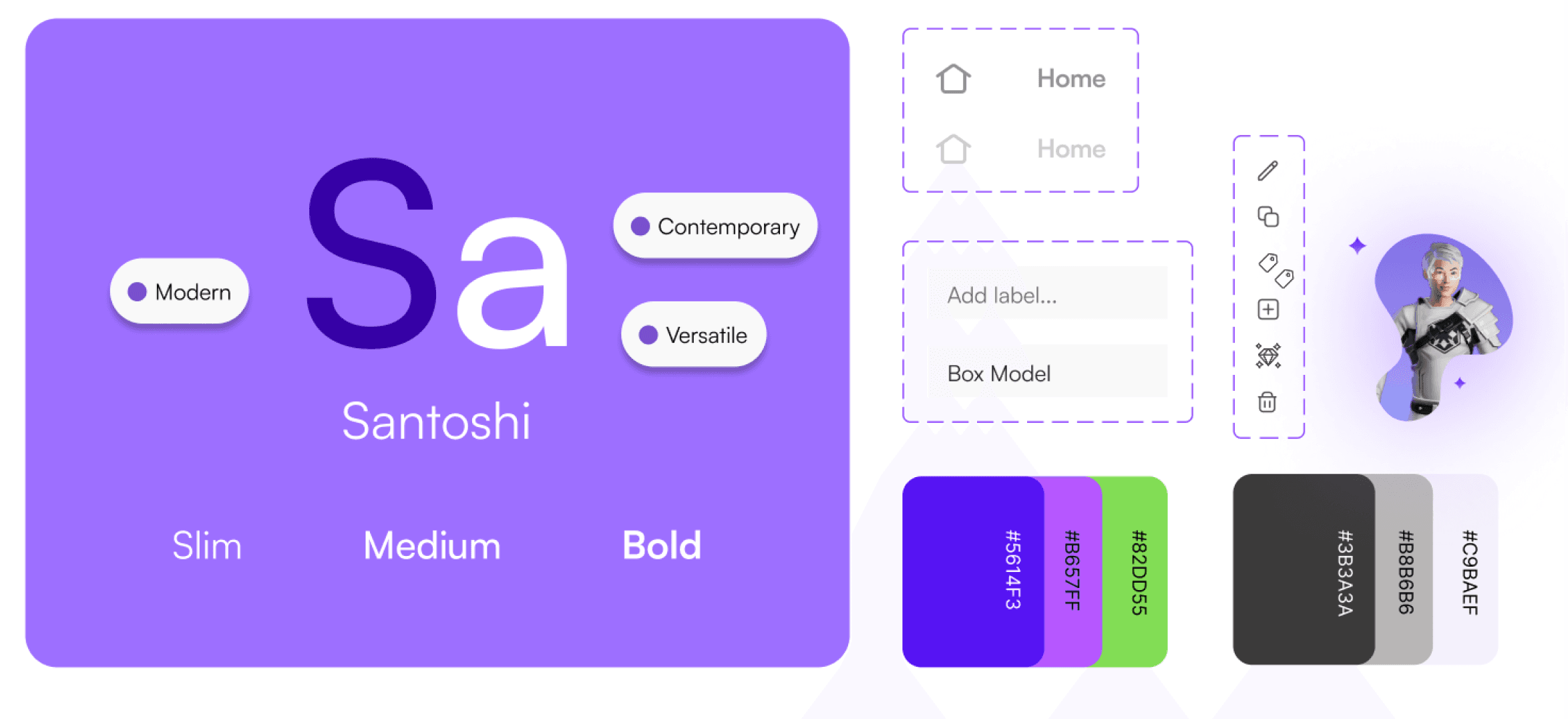
TYPOGRAPHY
Defining the font styles, size and hierarchy
Color Palette
Shortlisting colours (Primary, secondary, neutral, and semantic colors) aligning with the brand
Spacing & Layout
Consistent scale, grid system
Visual Elements
Definig the Iconography, shadows, border-radius
Sensemaking
To frame our approach, we adopted the Atomic Design methodology to build scalable, reusable components. While we explored systems from Shopify, Apple, and Google for inspiration, their scale exceeded our needs—so we created a leaner, more tailored version for Radical AI.
The goal was to create reusable components, progressing from simple elements to complex UI structures.

Atomic Design
Solution
While building the design system, our focus was on ensuring visual consistency and practical usability across products. We established clear visual rules for UI states—using distinct colors for warnings, errors, and progress indicators to improve clarity and accessibility.
To make the system meaningful in real use, we designed with contextual scenarios in mind—imagining how components would be used in actual flows. We drew inspiration from educational platforms like Duolingo and Khan Academy to better understand interface expectations in similar domains.
To validate design decisions, we conducted A/B testing on key components, helping us select the most intuitive and user-friendly options based on user feedback.
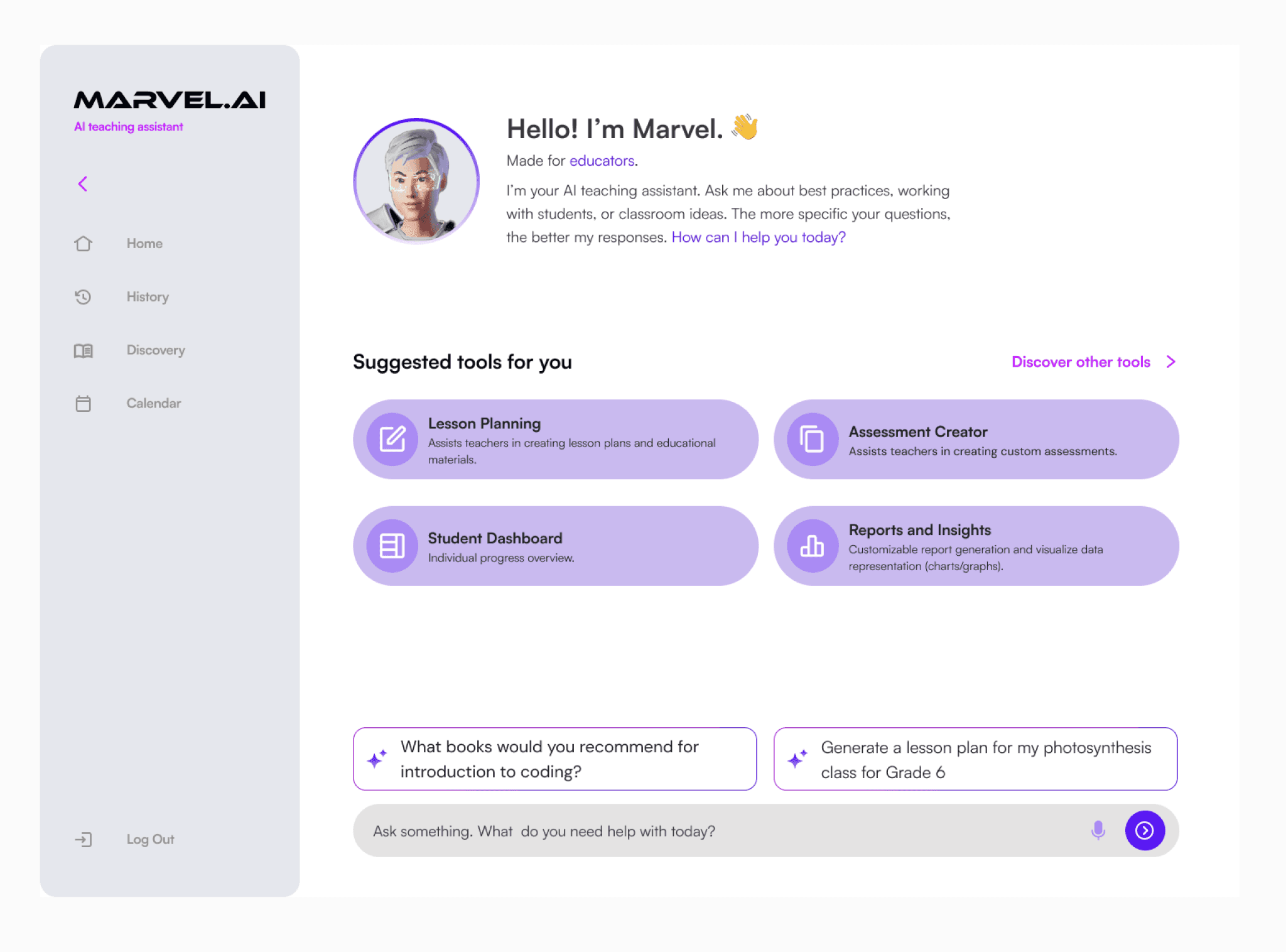
Final Screen
View Design System

Atoms (buttons, tags, icons)

Molecules (search bars, cards)

Organisms (full UI modules)
Template (full screen)

Learning Objectives
Due to time constraints, I couldn’t explore integration, governance, and adoption—areas that would’ve given me full-cycle experience with the design system.
I also see potential in expanding language support and improving accessibility, making the system more inclusive for global and differently abled users—crucial for long-term growth and impact.
Open Question
What is the full cycle?
Crazy Idea
What’s the one colour you would avoid?
This is the portfolio-friendly version.
Want the full plot, deleted scenes, and everything I overthought at 2 a.m.?
👉 [Here’s the director’s cut.]